Analyze panel sets
Panel Set Analytics — see where your panels sit within ranges observed across the corpus.
Panel Set Analytics in cv-web reads a shop-drawing set and shows how each panel compares to ranges observed across a large corpus of tilt-up panels — per-panel placement, a project typicality score, and a downloadable PDF report. Sign in at simplestruct.com to use it; the analysis is free during the preview.
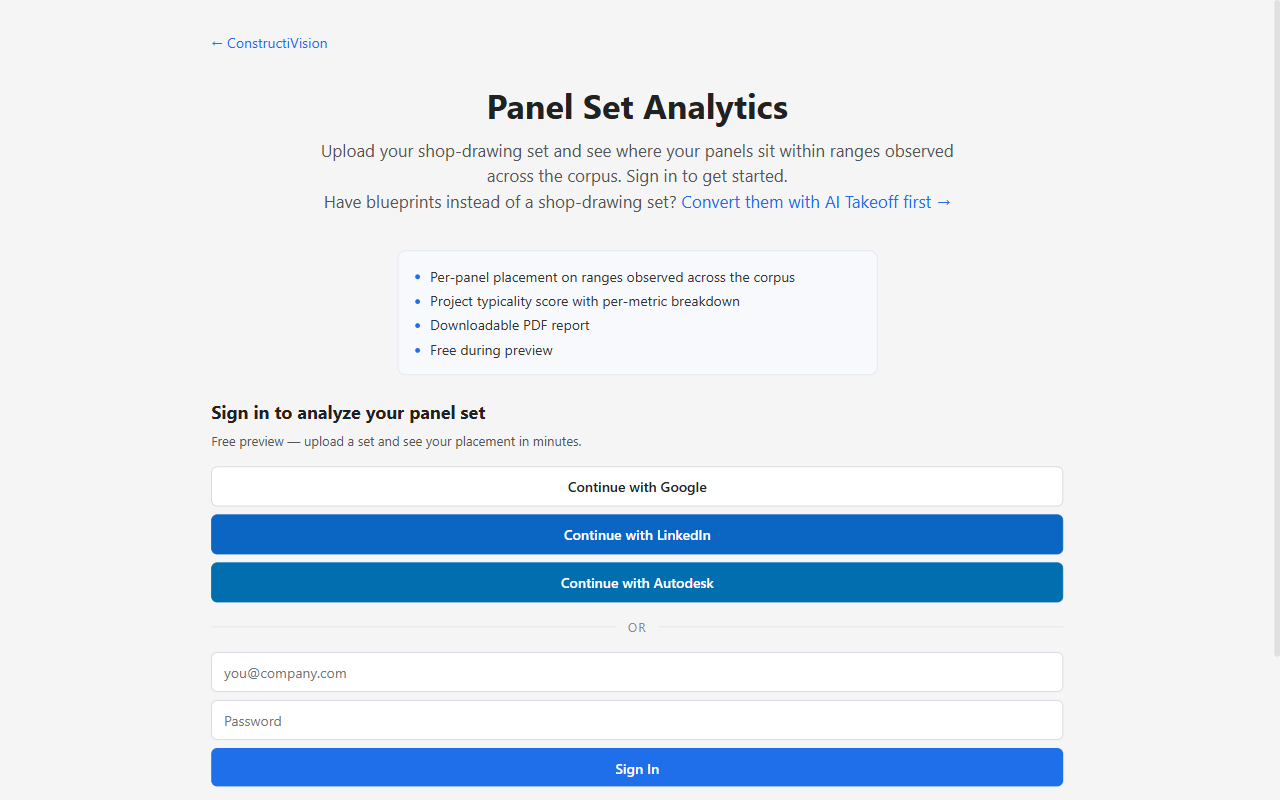
The Panel Set Analytics landing page as it appears before you sign in: what the analysis produces, and the sign-in options. The upload area appears once you are signed in.
What the numbers mean — and don’t mean
Placements are reference points on ranges observed across the corpus. A value flagged “may need review” simply sits outside the typical observed band — it is a prompt for review, not an engineering determination. Analytics never calculates or certifies engineering values.
Upload a set
Drag your files onto the upload area (or click to pick them). Up to 20 files per analysis, in any mix of PDF,
.cvp,.cvpanel,.dxf, or.dwg.Native ConstructiVision files are checked in your browser before anything uploads — a file that can’t be read is flagged immediately, so fix or remove it and continue.
Optionally name the project, then click Analyze panel set.
Progress streams live on the page. If you leave before it finishes, cv-web emails you when the results are ready — the link in the email returns you to the same results page.
What the analysis produces
Project typicality — a headline score for the whole set, with a per-metric breakdown.
Distribution curves — one per metric, showing where each of your panels falls within the range observed across the corpus.
Per-panel table — every panel’s placement, metric by metric.
Items not analyzed — anything in the upload the analysis skipped, listed so nothing disappears silently.
PDF report — the full results as a downloadable report you can file or share.
If you uploaded blueprints instead
Blueprints and shop drawings are different documents, and analytics reads shop-drawing sets. If your upload looks like an architectural/structural blueprint set, the page says so and points you to AI Takeoff — a companion product (in preview, with pilot enrollment open) that converts a blueprint set into a tilt-up shop-drawing set the analysis can then read panel by panel.
The statistical ranges handout
Want the corpus numbers without uploading anything? The upload page offers the 2026 Statistical Ranges handout — min / mean / median / p90 / max with sample sizes for the core panel features, drawn from the same corpus the analysis reads. It is a free download for signed-in users.
Cost and membership
Panel Set Analytics is free during the preview — running an analysis does not spend tokens.
The AI features in cv-web (panel auto-layout and pick simulation) require an active membership; if your membership lapses they lock until you reactivate.
For plans, the free trial, and what a token buys, see Membership & Tokens.