Add an overhead / dock door
Place an overhead door or a dock-leveler opening in a panel.
A dock leveler opening is a large door opening with an extra recessed blockout at the bottom for the hydraulic leveler pit. Use this guide for overhead / dock-height openings; for a plain window or generic opening use Add a standard opening instead.
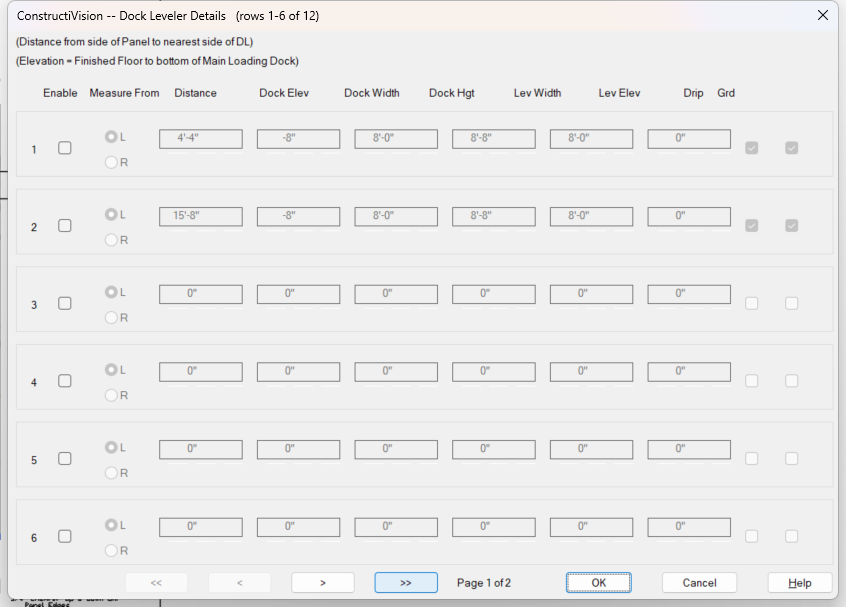
The Dock Leveler Details dialog — 12 rows in pages of 6.
Steps
Open Main Panel Details for the panel.
Open Dock Leveler.
Add an opening and set its values, in order:
Side — quadrant (Left or Right).
Distance — position from the edge, across the panel.
Elevation — base height above the panel base.
Width and Height — the opening size.
X-offset (recess depth) and Y-offset — position the leveler-pit recess at the bottom.
Add more openings if needed.
Confirm. The dock-leveler master toggle turns on automatically once at least one is enabled.
Redraw the panel. Each opening is cut and dimensioned, with the leveler recess drawn.
Notes
Distance + width must fit within the panel width, and the recess X-offset must be at least an inch inside the opening width — the dialog enforces both.